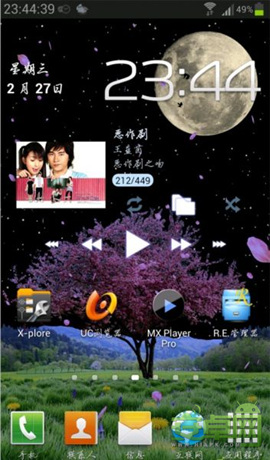
如何让状态栏时间精确到秒显示:靠左边、原始靠右边

教你如何将三星N7100的状态栏时间精确到秒显示:靠左边、原始靠右边。
一、状态栏时间精确秒显示(靠左边)
1.首先,反编译SystemUI.apk
2.找到文件:SystemUI.apk\res\layout\tw_status_bar.xml(推荐用Notepda+打开编辑)
3.删除以下代码:
android:textSize="@dimen/status_bar_clock_text_size" android:textColor="#ff959595"
android:ellipsize="none" android:gravity="left|center" android:id="@id/clock"
android:paddingLeft="3.0dip" android:layout_width="wrap_content"
android:layout_height="fill_parent" android:singleLine="true"
android:includeFontPadding="false" />
4.找到以下代码:
android:paddingLeft="4.0dip" android:layout_width="0.0dip" android:layout_height="fill_parent"
android:layout_weight="1.0">
5.再在以上代码后面回车添加以下代码:
android:layout_width="wrap_content" android:layout_height="fill_parent">
android:textColor="#ff959595" android:gravity="center" android:id="@+id/digitalClock"
android:layout_width="wrap_content" android:layout_height="fill_parent"
android:singleLine="true" android:includeFontPadding="false" />
6.编辑好后保存,然后编译SystemUI文件
7.编译后把\res\layout\tw_status_bar.xml,和resources.arsc文件复制到原SystemUI.apk替换一下,最后再复制到手机,修改权限再重启就可以了