
教你用3ds max打造一个逼真足球
AI摘要
由 AI 生成 · 仅供参考
先看效果图: 1. Create Hedra object from Extended Primitives 2. in parameters object family select Dodec/Icos family par. P=0.38; Q=0.0 3. object convert to editable poly 4. select all edges 5. use extrude edges:extrusion height=-1.0 ; extrusion base
先看效果图:
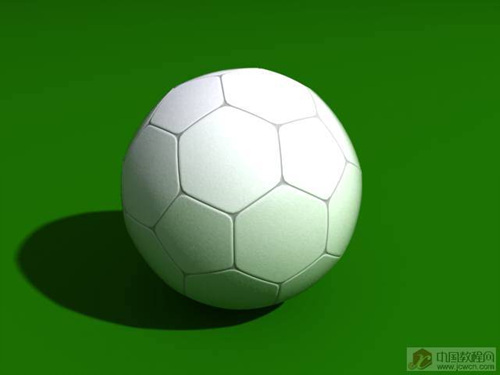 1. Create Hedra object from Extended Primitives
 2. in parameters object > family select Dodec/Icos
> family par. P=0.38; Q=0.0
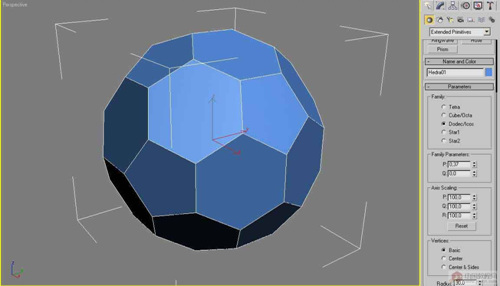
3. object convert to editable poly
4. select all edges
5. use extrude edges:extrusion height=-1.0 ; extrusion base width=0.3
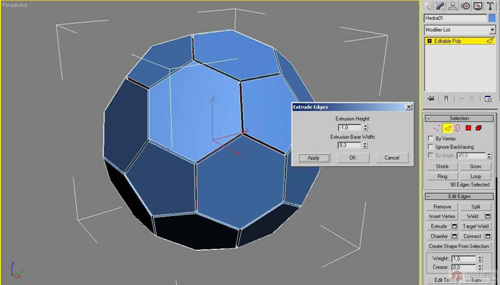
6. select all polygons
7. use tessellate all polygons twice (apply)
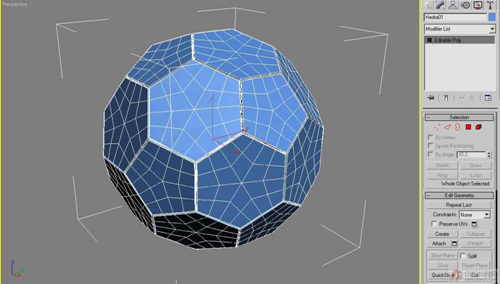
8. in modifier list chose spherify=85%
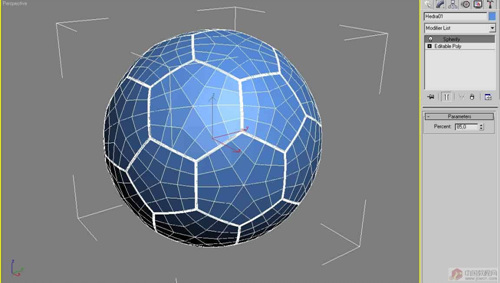
9. add meshsmooth and the play!
7. use tessellate all polygons twice (apply)
8. in modifier list chose spherify=85%
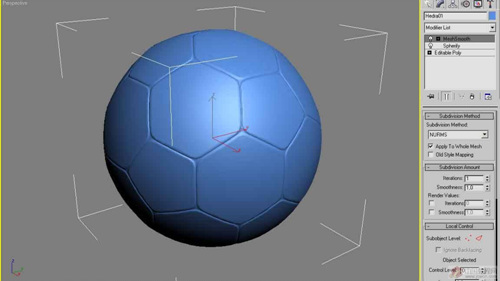
9. add meshsmooth and the play!
版权声明:本文由驱动中国整理发布,转载需注明出处与原文链接。如有疑问请联系
editor@qudong.com。
来源:驱动中国 · 原文链接:https://www.qudong.com/article/5412.html
本文价值
★★★★★
—
成为第一个评分的人
登录后为本文打分
评论加载中…